
You can build an AI study stack that saves time, not just adds noise. Start with tools you already use, then add hardware that fits your budget. Because a good AI study stack should help you write faster, learn smarter, and still have time for merienda.

Essential tools for your AI study stack
First, meet Grok inside Microsoft Word. It’s now available as an add-in, which means you can draft, summarize, and reword without leaving your doc. Use it to turn messy lecture notes into clean outlines, or to check tone before you hit submit. But keep your brain on. Ask it to explain, not to replace your thinking. That’s how you learn.
Next, watch what’s rolling out on campus. FEU Tech announced a partnership with OpenAI, giving students and faculty official access to AI tools. That matters because safe, sanctioned access usually includes better guardrails, training, and developer pathways for projects. So if you study or teach there, check your school portal for how to activate it. If you don’t, this is your sign to ask your school IT: when is campus-grade AI coming?
Devices: budget to flagship, no fluff
You don’t need a P100k rig to study with AI. But a device that handles multitasking well? That helps a lot.
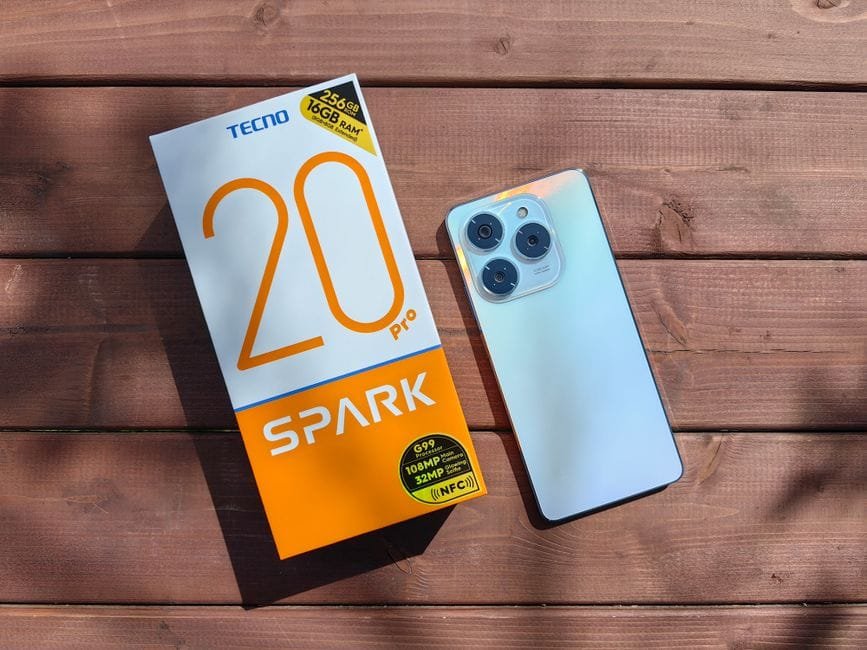
On a budget, the TECNO POVA Curve 2 5G is an easy pick to consider. It’s a big-battery phone with a fast display, which means long study sessions and smooth scrolling in note apps and AI chats. Pair it with Word mobile or a lightweight notes app. Use voice notes, then ask an AI to summarize your recording into action items. Tipid na, masaya pa.
If you want a serious tablet for notes, drawing, and AI-heavy multitasking, the OnePlus Pad 3 Pro brings flagship power. It runs a Snapdragon 8 Elite Gen 5 chip, so you can split-screen lectures, transcription, and research tabs without the tablet choking. Add a keyboard and stylus for class, then switch to video editing or design work after. Sobrang worth it if you create as much as you study.
How to make it all work together
Keep Word as your writing hub with Grok on tap. Store readings in a cloud drive. Use your phone to capture whiteboard photos and voice notes after class. Then ask AI to clean and condense everything into a one-page brief. Because the goal isn’t more apps; it’s fewer clicks between idea and output.
Set rules for yourself, too. Cite sources every time AI gives you facts. Ask for outlines before full drafts, so you still control structure and argument. And when you’re stuck, use AI to explain concepts in Filipino or in simpler English. You’ll remember more when it makes sense to you.

Who should upgrade now?
If your current phone slows down with three apps open, go budget phone first. If you edit videos, design, or run multiple research windows, the flagship tablet saves you hours weekly. And if your school offers official AI access like FEU Tech, use it; campus-grade tools usually come with better privacy and tutorials, which means less guesswork.
Sources and Further Reading
– FEU Tech partners with OpenAI
– Grok arrives on Microsoft Word
– OnePlus Pad 3 Pro unveiled
– TECNO POVA Curve 2 5G review
Disclaimer: Features, availability, and pricing can change. School access and program details may update over time. Always check the official pages.