
You can build a smarter Filipino work hub without going full Hollywood studio. The formula is simple: a reliable laptop for productivity, a Mini LED TV for binge nights and console weekends, and local cloud storage to keep everything backed up. Three new launches in the Philippines make this easier right now: ASUS is pushing its ExpertBook Ultra campaign, TCL dropped its C7L Mini LED TV series, and Globe rolled out Globe Cloud. Let’s stitch them into a setup that actually makes sense for a condo, dorm, or small home.
Why this trio works for a Filipino work hub
A laptop gives you flexible power for work, school, and travel. A Mini LED TV turns your tiny sala into a legit movie/animé corner, which you’ll appreciate after a 10-hour shift. And a local cloud backup means your thesis, content drafts, and family photos don’t disappear when a drive fails or a cup of instant coffee tips over. Sobrang worth it when things go wrong—because they do.
The picks (and how they fit together)
ASUS is actively promoting the ExpertBook Ultra line in the Philippines. It’s a business-focused family, which usually means durability, security-minded features, and designs that don’t scream “RGB at 2 a.m.” That’s great for students pulling all-nighters and WFH pros hopping between Zoom and spreadsheets. If you commute or travel, a business-class laptop also tends to be easier to lug around and manage.
For the screen in your living room, TCL’s new C7L Mini LED TV series just launched locally. Mini LED brings tighter control over lighting compared to standard LED sets, so shows look punchier and dark scenes don’t wash out as easily. Translation: better binge sessions and nicer console nights even with the lights off. It’s a solid middle ground for people who want better picture quality but don’t want wallet-melting prices.
Finally, Globe Cloud is a local cloud storage service with paid plans. Because it’s available here, you get straightforward billing and familiar support channels. Use it to sync class notes, client decks, raw footage, and phone galleries. If your laptop gets stolen or your external drive dies, you keep moving. Check the official page for full specs and current plan details.
| Tool/Device | Best For | Budget Level | Caution |
|---|---|---|---|
| ASUS ExpertBook Ultra (PH campaign) | Reliable work laptop for WFH, students, business travel | Mid to high | Confirm exact configs and warranty; match to your workload |
| TCL C7L Mini LED TV series | Binge-watching, console nights, shared living rooms | Mid | Measure your space; check wall mount or stand fit |
| Globe Cloud | Simple backups for docs, photos, and videos | Low to mid (monthly) | Mind upload speeds; set mobile data limits if syncing on LTE |
How to set it up like an IT person would
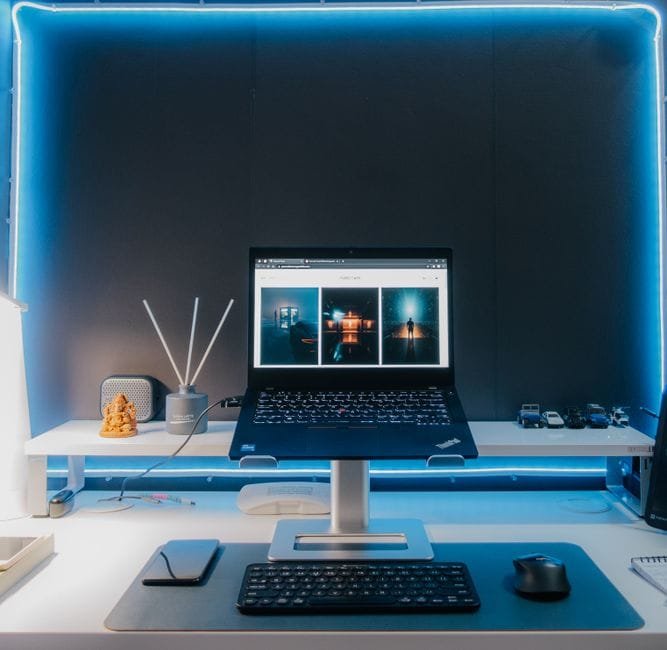
Start with the laptop as your control center. Use it for work tasks by day, then plug it into the TV for entertainment at night. A single high-quality HDMI cable is cleaner than juggling dongles and adapters. If you’re on a desk, set the TV on the wall in front and keep the laptop just below eye level. Your neck will thank you.
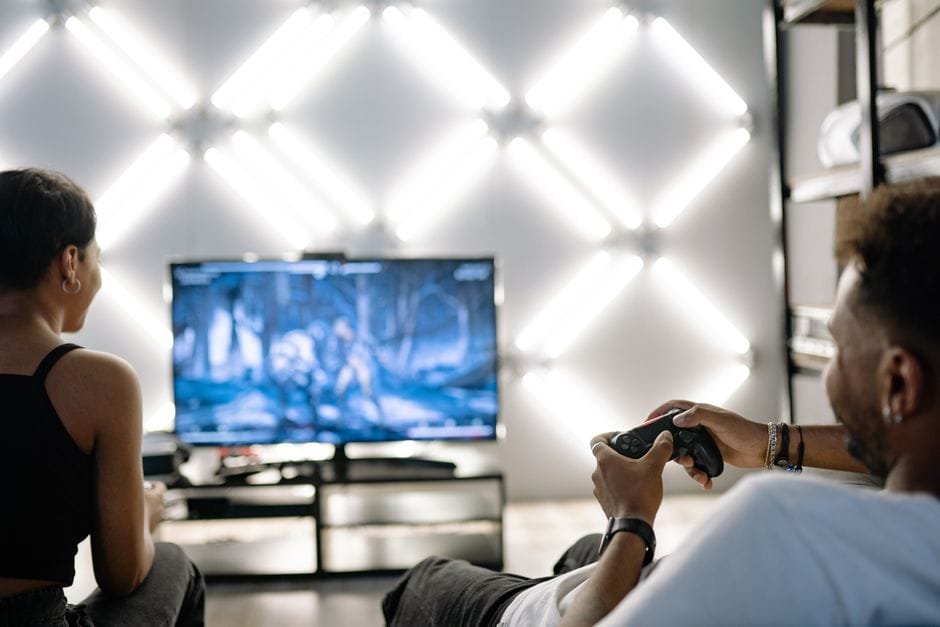
On the TV, disable aggressive motion smoothing when you’re gaming, then re-enable any film-friendly picture modes for streaming. You don’t need a calibration butterfly—just pick the mode that looks natural, not neon. If you live in a bright room, bump overall brightness a bit; if you watch lights-off, reduce it so blacks don’t turn gray.
For sound, a decent pair of headphones beats a cheap soundbar. But if more than one person is watching, a compact soundbar can make dialogue clearer without shaking the neighbors’ walls. Condo-friendly is the goal.
Backup plan that actually runs itself
Set Globe Cloud as the always-on safety net. Install the app on your laptop and phone, create a Documents and Photos backup set, and schedule a nightly sync. That way, uploads happen while you sleep and don’t choke your daytime bandwidth. If you often work on mobile data, toggle “Wi‑Fi only” for uploads so you don’t burn through your plan.
Keep a local copy for speed. A modest external drive plus cloud is the sweet spot: fast restores from the drive, disaster recovery from the cloud. Use a simple folder structure—Work, School, Personal, Media—so you can find things without CTRL+F panic.
Budget setup vs. creator setup
On a tight budget? Stick with the ExpertBook Ultra configuration that covers your classes, office apps, and casual editing. Pair it with a smaller C7L size that fits your room and wallet. Use Globe Cloud’s entry plan to back up your must-keep files first. Tipid na, masaya pa.
Doing content regularly? Consider stepping up the ExpertBook Ultra variant that suits heavier multitasking, then choose a larger C7L for better viewing distance and more immersive edits when you mirror timelines to the TV. Grab a bigger Globe Cloud plan and keep project media synced across your laptop and phone so you can review cuts on the commute.
Little upgrades that make a big difference
Use a power strip with surge protection for the TV and laptop charger. Manila brownouts are real. Label your cables so you don’t pull the wrong plug during a call. If your router sits far from the TV, a slim Ethernet run improves streaming stability more than any setting tweak. And clean your laptop intake vents once a month; dust throttles performance faster than any “performance mode” helps.
Students: set focus blocks using your laptop’s built-in tools and hide the TV remote during those blocks. That remote is a productivity trap. Parents sharing the space? Enable kid profiles on your streaming apps and lock purchases. Walang surprise charges.
Filipino work hub: what’s actually worth it
If you can only upgrade one thing today, get the cloud backup running. It’s the least exciting purchase, but it saves you from pain later. Next, upgrade the screen you stare at most—usually the TV in the evening. A clearer, brighter picture makes everything feel premium even if the rest of the room is bare. Then pick the laptop config that matches your real workload; paying for power you don’t use is just… paying for heat.
Will this setup replace a full desktop and cinema-grade OLED? No. But it’s a smart, compact hub built on tools that just launched in the PH, which means easy availability and local support. That’s exactly what most of us need.
Sources and Further Reading
– ASUS unveils ExpertBook Ultra campaign in the Philippines
– TCL launches C7L Mini LED TV series in the Philippines
– Globe launches Globe Cloud, storage pricing revealed
Disclaimer: Availability, prices, promos, and plan features can change. Check the official pages for current details and full specs before buying.